Video
- Recently Added
- Popularity
- Name
About 27 filtered results

by David Adler · Posted
Recently, Sling released updates for its SlingStudio console app for iPad and Mac and the Slingbox AirTV player.
SlingStudio Console UpdateM
Versions 1.5.81 (iOS) and 1.5.120 (macOS) include some new features that may be of interest to you if you use the SlingStudio Hub to create live sports content.
Highlights and Tagging: Create highlight clips from your favorite moments by tagging them on the fly.
Custom Scoreboard: Use your own graphics

by Steven Gladstone · Posted
Once upon a time, compression was a dirty word, but the reality is that compression is occurring throughout the image taking process. Your lens compresses the image, unless you are shooting 1:1 macro. You could consider the Bayer filter on your sensor a form of compression, (referred to as Color Sampling Ratio) and, of course, there is the codec (compressor/decompressor), format, and bit-rate you choose. All this happens before your images even get to the recording media. So, compression is hidden throughout your image and, by itself,

by Ronald Francis · Posted
Adobe has just announced the newest release of its consumer photo and video editing applications, Photoshop Elements and Premiere Elements 2018, for Mac and Windows. In the professional editing industry, Adobe has been one of the few top names for many years. Adobe Photoshop, Premiere Pro, and After Effects are found in virtually every studio. The Elements versions are for those editors who want to make creative and polished photos and videos, but quicker and easier than possible in the pro versions, and they’re designed with the weight and
by BH Event Space… · Posted
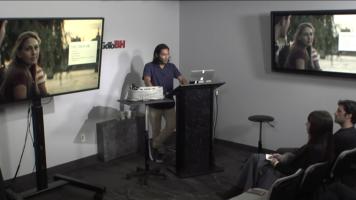
In this B&H Event Space video, filmmaker Brandon Li shares his favorite techniques for creating a story out of purely improvised material. His strategy for creating a film is heavily dependent on the unexpected, and for using those unexpected elements to fuel creativity. Working without scripts or storyboards, it is part of his plan to have events go not according to plan. Li guides you through his filmmaking process, using clips from his many improvised films to underscore talking points. Topics discussed include: planning your shoot to
by BH Online Videos · Posted
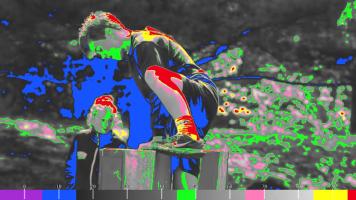
In this video, learn how to analyze video footage with scopes to achieve consistent images in production and post production. Chase Kubasiak, from Zacuto, walks you through the different scopes, shows you what part of the image they analyze, and explains how and in what situation each one can be used to understand what’s going on in your image, beyond what you can see on a screen. We hope you enjoy the video, and invite you to view the wide selection of other instructional and informative videos
by BH Online Videos · Posted
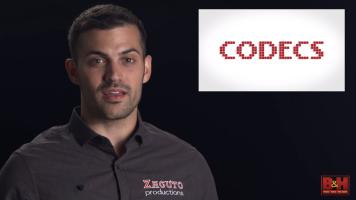
In the following video, Chase Kubasiak, from Zacuto, lifts the veil on the complex world of codecs, what they are, how they work, and when to use them. He highlights the two basic types of codecs, examining the relative strengths and weaknesses of each, and where in the production/post-production process you will find them. Kubasiak also delves into Chroma subsampling, and how that affects your image. We hope you enjoy this introduction to codecs and invite you to view the wide selection of other
by BH Online Videos · Posted
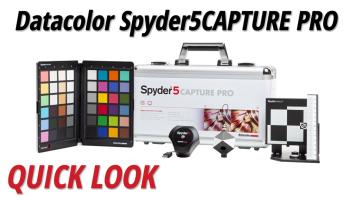
In this video Doug Guerra explains how the Spyder5CAPTURE PRO Color Calibration Bundle helps you to keep track of your color during the entire photo process, from capturing the perfect shot up to and including color accuracy when printing. This bundle includes the SpyderLENSCAL, which is a focus chart allowing you to adjust your autofocusing system accurately through the camera. Next comes the SpyderCHECKR, which provides an objective

by Ronald Francis · Posted
If you’re a newcomer to vlogging, and you’re asked to dress a vlog set, a vlog background, your natural instinct might be to fancy it up. Similarly, if the vlog is topic-specific, you may want to gather numerous items related to that topic in the background. But you may be surprised to learn that these approaches are counterproductive in a vlog, and that something closer to the opposite is best, that less is more.
For the most part, these vlogs constitute interesting, appealing personalities openly sharing their daily lives with the

by josh brown · Posted
If you are a video editor or are looking to get into video editing, I have both good news and bad news. I’ll start with the good news. Never before have video editors had such an extensive set of color-correction and color-grading tools available at their fingertips. Over the last decade, the makers of non-linear editing software have strengthened the color-grading abilities of their software to the point where they now rival dedicated color-grading software in control and ability. Perhaps as a response to this competition, the developers of

by David Adler · Posted
So you want to work with raw video, huh? Good. You’re ambitious—I like that. Working with raw video, however, is not something to be taken lightly. It’s a very powerful asset that has been made available to many consumers through a variety of affordable cameras from Blackmagic Design. But raw video takes up a lot of space and the benefits can be a little esoteric or unclear, especially if you don’t come from a stills photography

by josh brown · Posted
Not more than a decade ago, the power to create Hollywood-style effects was exclusively the domain of highly specialized artists using expensive software that ran on workstation-class computers. However, in the last few years, inexpensive compositing software has become available, offering visual-effects artists and motion-graphics designers the ability to create powerful visual effects. HitFilm 3 Pro from FXHOME is one such piece of software, built

by Steven Gladstone · Posted
With its recent release of Media Composer 8.3, you can now edit and output native 4K footage. Prior to this release, working in 4K was only possible by importing your footage through Avid AMA, and working with lower-resolution versions of your footage. However, Avid has introduced its DNxHR codec to support 4K workflows. DNxHR comes in six flavors, from DNxHR LB (low bandwidth) all the way up to DNxHR 444 (Cinema Quality), allowing you choices in compression and