Video
- Recently Added
- Popularity
- Name
About 3 filtered results
by Steven Gladstone · Posted
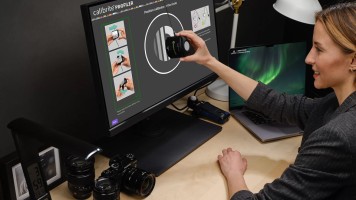
Color can be one of your greatest allies in the creative process. Even more than color itself, the assurance that your color balance looks as good as possible, is accurate from capture to export, and is consistent from screen to screen can be paramount to sharing your vision with others. To achieve this control over color, a color calibration process is a necessity.
The Two Pillars
When discussing calibration, you must consider not only the monitor on which you are viewing your footage, but the camera you used to capture that footage, as well.

by Jennifer Hahn · Posted
Congratulations! Your project includes a scene using chroma key and you've just recorded your green screen footage. Or did you use blue screen? Or maybe even a white background? Your next challenge is finding the right software tools to edit your footage in post-production so your final scene doesn't look like the weatherperson on public access TV. The basic process is to import your green screen footage into software with chroma key tools, to apply a key (remove the green) to the background, leaving your subject completely free of the green
by Steven Gladstone · Posted
What is IPP2? you may be wondering. IPP2 is the acronym for Image Processing Pipeline 2 and, with IPP2, RED claims that it has separated the technical adjustments from the creative adjustments. What’s the big deal, you say? How good could it be? Imagine all the candy, from all the candy stores, in all the world—at your fingertips. It isn’t quite as good as that, but it is close.
IPP2 is a new color-processing system that RED has devised, available in-camera in the