Computers
- Recently Added
- Popularity
- Name
About 613 filtered results

Posted
Need to access your files from anywhere in the world? Network attached storage (NAS) is the solution for you! Follow along as Matt Zefi explains what NAS is, how it differs from DAS, what setups to use, and more.
0:00 - Introduction
0:22 - What is NAS?
0:41 - NAS vs. DAS
1:16 - Small and Medium Setups
1:59 - Large Setup
3:27 - 3-2-1 Backup
4:12 - Internet Access
Do you use NAS in your workflow? Let us know in the Comments section, below.

by Mos Khan · Posted
The best secure portable drives offer the highest level of security and data protection wherever your career or passions take you. These drives utilize advanced safety measures (e.g., hardware encryption, biometric verification, etc.) to ensure that no matter what, your data cannot be stolen or accessed without your permission. If you’re looking for a portable drive that will keep all of your data completely secure, these are some of the best choices available.
1. Samsung T7 Shield SSD
The

by Rebecca Melville · Posted
When friends ask how I manage to create a full work-from-home setup in my small Brooklyn bedroom, I tell them, “Patience, a bit of finessing, and a monitor arm.” Specifically, the LX Monitor Arm from Ergotron, which has quickly become one of my favorite work-from-home accessories and the reason my small desk space is so functional.

by Steven Wong · Posted
Between high-resolution video clips, B-roll, music, effects, and more, it’s clear that you can never have enough storage when creating professional-grade video content. For instance, one hour of 8K REDCODE RAW 75 footage takes up about 7.29TB, which amounts to 121.5GB per minute, and storage requirements are bound to grow as we move toward 12K or higher resolutions. Even working at 4K resolution can amount to around 741.6GB for an hour of RAW BMPC 24 footage.
So, whether you prefer to shoot in compressed or uncompressed formats, it’s safe

Posted
Are you tired of losing your data? In this video, Matt Zefi presents a simple and seamless solution for backing up your data using a variety of DAS.
What are your own tips for backing up your data? Do you agree with Zefi's techniques?
0:00 - Introduction
0:37 - Backing-Up Basics
1:13 - Image Backup of Your Computer
1:47 - Smaller Setups
2:19 - Medium- and Large-Sized Setups
4:53 - Software and Hardware RAID
6:35 - File Sync
7:02 - Mobile Drive
7:31 - Hard Drive Health
7:45 - Cloud Solutions

Posted
In this video, Doug Guerra upgrades the PC he built in 2020 with the new Intel® Arc™ A770 and A750 graphics cards. Watch as Guerra explains what needs to be upgraded and demonstrates how each graphics card performs when editing and encoding video, as well as during AI Video Processing.
0:00 - Summary of Previous Build
3:34 - Upgrading Our PC
9:24 - Arc First Impressions
10:38 - Adobe Premiere Performance
12:02 - DaVinci Resolve

Posted
How does Apple’s new M2 Max chip perform during video editing and encoding, and how does it compare to its predecessor? Doug Guerra tests the M2 Max’s rendering times in programs like Premiere Pro and Davinci Resolve against the M1 Max.
0:00 - Introduction
0:39 - What's New?
2:15 - Adobe Premiere Pro
4:55 - Davinci Resolve
7:08 - HandBreak
8:26 – Key Takeaways
11:33 - Final Thoughts
For more information, be sure to read our initial
by William Min · Posted
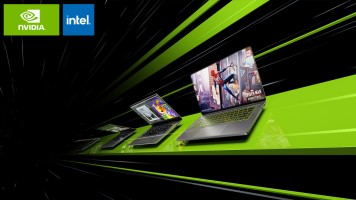
With the GeForce RTX 40 Series Laptops, NVIDIA delivers the Ada Lovelace architecture, GeForce RTX 4090 and 4080 laptop GPUs, and 5th-gen Max-Q technologies, increasing performance and efficiency. Powered by 13th Gen Intel® Core™ processors and RTX 4080 and 4090 laptop GPUs, these laptops run up to three times more efficiently than previous-gen NVIDIA flagship laptops, enabling you to game at higher detail and speeds, as well as power through creative workloads in a shorter amount of

by Rebecca Melville · Posted
When it comes to choosing the best color-critical monitor, today's creatives enjoy a near-limitless range of viable options. But just because there are plenty of options available doesn't mean choosing the right monitor is an easy task. Finding the monitor that best addresses your needs and your budget can be a real chore, which is why I was delighted to review ViewSonic's latest monitor, the ColorPro VP2776, and see for myself if it
by Mos Khan · Posted
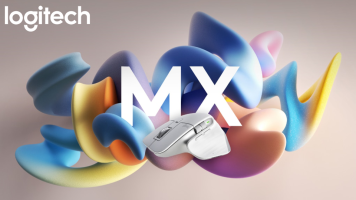
When it comes to computer peripherals, Logitech is one of the most widely recognized and well-regarded brands available. Not surprisingly, its exhaustive list of accessories includes several peripherals that pair nicely with Apple’s long list of computer offerings. Here’s a closer look at some of the current offerings of Apple-exclusive accessories, including those geared toward getting the most out of your MacBook series laptop.
MX Master 3S
I have two desktop setups, one at home with my Macbook and PC combined, and an office setup that is PC

by Rebecca Melville · Posted
If you are a content creator shopping for a pro-grade monitor that can fully support your workflow without obliterating your bank account, the PD3420Q monitor from BenQ might just be the affordable screen of your dreams. Featuring a gorgeous IPS panel with 10-bit color support, this monitor has plenty of connectivity options and more than a few panel-specific features, making it a solid professional monitor at a reasonable cost

by William Min · Posted
Announced in a press release during the early hours of January 17, 2023, Apple introduced two next-gen SoCs (system on a chip), the M2 Pro and M2 Max. Building on the M2 architecture found on the MacBook Air, these two SoCs push the performance of Apple Silicon to new frontiers. The M2 Pro and M2 Max chips can be found on the 14" and 16" MacBook Pro models while Apple updated the Mac mini with M2 and M2 Pro chips.
M2 Pro
Built using second-generation 5nm process technology, the M2 Pro consists of 40 billion transistors, which is almost 20

by Mos Khan · Posted
Logitech, a mainstay in computer peripherals, offers a full catalog of accessories that will help you get the most out of your Chromebook. From wireless keyboards to pro-caliber webcams, if there’s a Chromebook accessory you need, odds are Logitech makes it. Here are some of our favorite Chromebook-enabled accessories from Logitech.
Wireless Keyboard: Logitech K580, K585, & MK470 Combo
The Logitech K580 Keyboard was

by William Min · Posted
Samsung added the 4TB version of this drive to its popular T7 lineup last week, announced at CES 2023.
Read the original story:
Designed for outdoor use, peripatetic content creators can expand their storage with the Samsung T7 Shield Portable SSD. Available in 1TB, 2TB, and 4TB models, the T7 Shield doesn’t just
by Steven Esposito · Posted
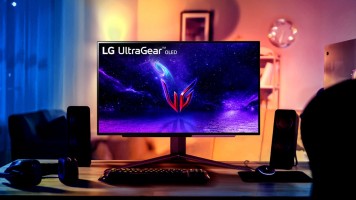
Obtaining the perfect picture with high-quality visuals can be elusive for some creative producers and gamers alike. Color calibration, gamut, and panel technology are a few of the key elements that make a solid display suitable for photo and video editors, as well as gaming enthusiasts and at CES 2023, Dell, Samsung, ASUS, HP, and more are bringing some of their best and brightest to the table.
HP E27k G5
Constructed from 90% recycled and renewable materials like aluminum, ocean-sourced plastics, and even coffee grounds, HP gives creatives an