Video
- Recently Added
- Popularity
- Name
About 27 filtered results
by Steven Gladstone · Posted
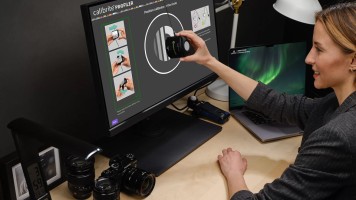
Color can be one of your greatest allies in the creative process. Even more than color itself, the assurance that your color balance looks as good as possible, is accurate from capture to export, and is consistent from screen to screen can be paramount to sharing your vision with others. To achieve this control over color, a color calibration process is a necessity.
The Two Pillars
When discussing calibration, you must consider not only the monitor on which you are viewing your footage, but the camera you used to capture that footage, as well.
by Mary Latvis · Posted
Video-production monitors can offer a dazzling array of features with price tags running the gamut (no pun intended) from several hundred dollars all the way up to the price of a new car. So, while your budget will understandably be a primary consideration, what else should you look for in a monitor when setting up your editing system? Read on for some general factors to consider when choosing a video-editing monitor.
1. Screen Size
Look for a monitor large

by William Min · Posted
When Apple introduced M1 Pro and M1 Max chips for the MacBook Pro lineup in 2021, it easily became the best laptop for video editors. The balance of performance and efficiency made it possible for creative professionals to edit high-res videos on the go. Apple has since updated the MacBook Pro lineup for 2023, with the M2 Pro and the M2 Max chips, maintaining its title as the laptop for video editing.
B&H Recommends…
by Shawn C. Steiner · Posted
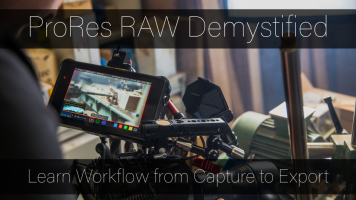
ProRes RAW. Is it ProRes? Is it raw? What is ProRes even? How do I get it? Why do I want it? What do I do with it once I have it? Okay, okay! We heard you. ProRes RAW is an exciting and relatively new video format, but it brings with it an almost endless number of questions. I will start off by saying that it is well worth the effort since raw video can offer increased dynamic range and detail than standard formats. Also, you do have to be sure that every stage in your process supports ProRes RAW. If you follow along here, we will help get you

by Ronald Francis · Posted
On the side of some ZEISS lenses is a 4-pin LEMO connector, built in, with the words “eXtended Data” inscribed above it. This connector is part of ZEISS’s eXtended Data Technology (XD), which provides lens data for VFX applications. More specifically, eXtended Data efficiently transfers shading and distortion data via a hardware/software workflow. It allows VFX artists to adjust shading and distortion characteristics precisely in post-production. The compatible ZEISS lenses include the

by Jennifer Hahn · Posted
Congratulations! Your project includes a scene using chroma key and you've just recorded your green screen footage. Or did you use blue screen? Or maybe even a white background? Your next challenge is finding the right software tools to edit your footage in post-production so your final scene doesn't look like the weatherperson on public access TV. The basic process is to import your green screen footage into software with chroma key tools, to apply a key (remove the green) to the background, leaving your subject completely free of the green

by Mary Latvis · Posted
When looking to align camera images with what their eye sees, to smooth complexions subtly, or to create specific looks for various scenes, moods, or locations in their projects, experienced videographers and cinematographers often turn to optical filters. When you’re confident about the look you want, optical filters also enable you to “bake-in” elements of your vision, both saving time in post and reducing the possibility of unwanted or unintended “corrections.”
While many filter looks can indeed be replicated or at least approximated
by Shawn C. Steiner · Posted
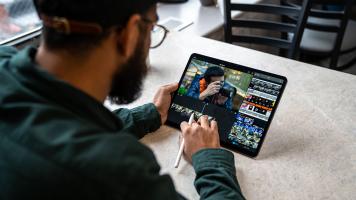
Lights! Camera! iPad? Believe it or not, the Apple iPad Pro (Late 2018) has gotten good enough to be an outstanding tool for filmmakers. Its versatility makes it useful, regardless of what part of the production you are working on. Standard productivity concerns are easily handled; apps for teleprompters, clapboards, and scripts are common; and if you want, the rear camera is capable enough to record high-resolution UHD 4K with surprising
by Steven Gladstone · Posted
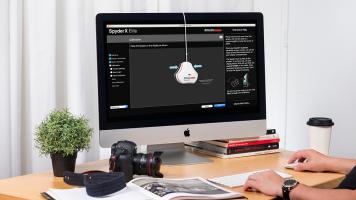
Monitors are flawed. They display limited color space, usually sRGB (although newer ones can display a wider color gamut), they age and change over time, and different backlight technologies will affect how the images are displayed. Let us not forget that the viewing conditions make a big difference in how we perceive, and need to be considered. For text, this isn't important, but for the visual media, this can make a huge difference. I remember the analog days of trying to calibrate the field monitor by eye, using the various test patterns
by Shawn C. Steiner · Posted
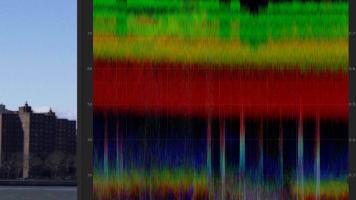
Digital photography has made cameras a lot more complicated and, once we tacked on video, we entered a whole new world. The latest mirrorless cameras and DSLRs are incredibly capable video-making machines, with 4K recording at up to 60 frames per second. Some even offer advanced modes that bump the specs up to 10-bit over HDMI, have different sampling options including 4:2:0 and 4:2:2, and there are plenty with logarithmic, or log gamma profiles. Coming to video from a still-photo background can mean all these settings can be quite

by Cortney Moore · Posted
There’s nothing like the holidays and the impending new year to get you thinking about your goals. And in a world where influencers and media personalities are living large while they create content for the masses, you may find yourself wanting to cash in on that hobby of yours. The estimated 532.43 billion-dollar cosmetics industry, which is also expected to surpass 805.61 billion by 2023, is a great niche to jump on if beauty really is your thing. All it
by Nicholas Messitte · Posted
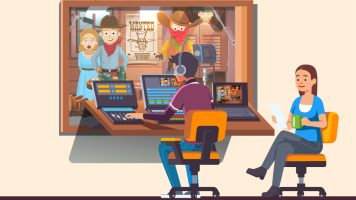
Coming at you fast and furiously, we’ve got eight quick tips for cleaning dialogues in a short film context—although, really, these tips could apply to any length film; from 30-second spots to feature-length films. If a project with dialogue has fallen into your professional lap, you’re going to want a cheat sheet for how to clean up that dialogue before you go about EQ’ing, compressing, and more.
Well, my friends, here is that cheat sheet. Follow these eight steps, and you’ll be ready to start mixing the dialogue of your audio/visual project.

by Ronald Francis · Posted
Adobe has announced its new Photoshop Elements 2019 and Premiere Elements 2019 consumer photo and video editing software, including an affordable Student & Teacher version that contains both applications.

10,303 Views· Posted
Is 8-bit video good enough for your production? Or should you make the jump to 10-bit? In this video, watch as Doug explains the advantages of 10-bit video and how it can help your project, even if its end result will be 8-bit.
by Steven Gladstone · Posted
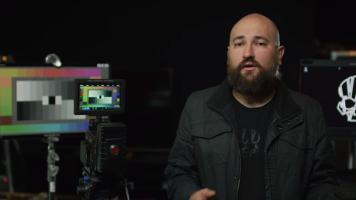
What is IPP2? you may be wondering. IPP2 is the acronym for Image Processing Pipeline 2 and, with IPP2, RED claims that it has separated the technical adjustments from the creative adjustments. What’s the big deal, you say? How good could it be? Imagine all the candy, from all the candy stores, in all the world—at your fingertips. It isn’t quite as good as that, but it is close.
IPP2 is a new color-processing system that RED has devised, available in-camera in the