Video
- Recently Added
- Popularity
- Name
About 20 filtered results

by Stepan Andranikian · Posted
So you just finished watching a great white shark feeding video and thought, “Wouldn’t it be awesome to be in the water with a camera to film this feast?” I'm right there with you, which is why today we’ll be diving into the world of underwater video creation, from the gear you’d need, to tips for getting the perfect action shot.
Before we get into it, I’d like to leave a little disclaimer: while venturing out into the vast and expansive deep blue is a riveting adventure, please practice caution and, if you’re not experienced in underwater

Posted
¿Quieres mejorar tus vídeos? Embajador de Sony Latinoamérica Martin De Iuliis comparta sus 5 consejos para grabar vídeos más profesionales.
0:00 - En Este Vídeo
0:11 - Iluminación (3 Puntos de Luz)
1:24 - Balance de Blancos
2:21 - Buen Audio
2:49 - Narrativa (Contar Historias)
3:26 - Formato de Plataforma
¿Qué piensas de estos consejos? Cuéntanos en la sección de Commentarios a bajo.
Posted
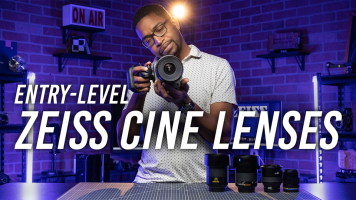
Jabari Holder tests the video quality of almost every entry-level ZEISS digital cinema lens available, from the CP.3 and LWZ.3 series. He also compares them to the Zeiss Otus, Milvus, Loxia, and Batis lenses.
0:00 - Introduction
0:52 - The Zeiss Look
1:52 - Photo vs. Cine Lenses
7:19 - CP.3
8:51 - LWZ.3
10:21 - Otus
11:23 - Milvus
12:23 - Loxia
13:26 - Batis
14:05 - Final Thoughts
Are you a ZEISS fan? Tell us why in the Comments section, below.
Posted

Posted
Want to give your video content that extra oomph? Matt Matkin explains how to do five different in-camera transitions to add some style to your next video.
0:00 - Introduction
0:30 - Same Color or Texture
1:23 - Whip Pan
2:05 - Spin
3:00 - Panning Behind and Object
3:41 - Walking Wipe
4:47 - Final Thoughts
Ready to try these transitions yourself? Let us know in the Comments section, below.

Posted
It’s time to take your slow-motion footage to Adobe Premiere Pro. Matt Matkin goes over some beginner and advanced editing techniques to achieve smooth video.
0:00 - Introduction
0:23 - Creating and Organizing Your Project
1:23 - How Much Can You Slow Down Your Footage?
1:57 - Changing Speed the Beginner Way
2:58 - Time Remapping
4:25 - Speed Ramping
5:39 - Warp Stabilizer
7:21 - Interpreting Footage
To learn more, be

Posted
Get ready to improve your photos! Matt Zefi shares 10 common landscape-photography mistakes but explains how to fix them. What mistakes have you made when taking landscape photos? How did you fix them?
0:00 - Introduction
0:38 - Mistake 1
1:07 - Mistake 2
1:30 - Mistake 3
1:56 - Mistake 4
2:18 - Mistake 5
2:39 - Mistake 6
3:11 - Mistake 7
4:02 - Mistake 8
4:33 - Mistake 9
4:55 - Mistake 10

Posted
Want to learn how to shoot in slow motion? Follow along as Matt Matkin explains the ins and outs of slow-motion shooting and lets us know which settings to choose and which gear to use, along with many other useful suggestions.
0:00 - Introduction
0:19 - Settings (Including Frames Per Second)
1:24 - What to Shoot
2:14 - How to Shoot
3:42 - Smooth Footage, Handheld

by Shawn C. Steiner · Posted
Time lapses feel a lot like photography during capture stages and a lot like video during the editing process. Creating them is a common progression for photographers looking to dip their toes into video and motion because you can start making high-quality time lapses with your current still photo equipment. If you are starting to tackle time-lapse projects, applying some video tricks can help smooth out your final product.
The Absolute Basics
I’m hoping that by the time you make it to this article you already have a basic understanding of how

by Jennifer Hahn · Posted
With the trend of DSLR and mirrorless cameras being released with more video features and recording higher video resolutions, it is tempting to purchase one for field production, since they are portable and can be outfitted easily with numerous accessories. But there are many reasons why one of these cameras might not be the best fit for your production style.
For example, in the golden olden days when I shot some documentary and corporate video, I included a Canon 5D Mark III DSLR alongside my Sony PMW-EX1R broadcast camcorder for a few

by Shawn C. Steiner · Posted
Whether you want a professional look for your livestreams or simply to look better on your next video chat, one of the best options is to use a dedicated camera with excellent video specs—such as your Nikon mirrorless or DSLR. Since you likely already have the camera and a compatible USB cable, it seems like an easy way to improve your video calls.
Why Use a Nikon Camera Instead of a Webcam?
In one word: quality. The webcam that comes with your tablet, laptop

by Shawn C. Steiner · Posted
Whether you want a professional look for your livestreams or simply to look better during your next video chat, one of the best options is to use a dedicated camera with excellent video specs, such as your Sigma fp Mirrorless Camera. You will need a few key accessories to make it happen, but the benefit is well worth it.

by Shawn C. Steiner · Posted
Whether you want a professional look for your livestreams or simply to look better during your next video chat, one of the best options is to use a dedicated camera with excellent video specs—such as your Olympus Micro Four Thirds mirrorless camera. Now that Olympus has launched the OM-D Webcam Beta you can get these advantages without much effort. A few key accessories can

by Shawn C. Steiner · Posted
Whether you want a professional look for your livestreams or simply to look better on your next video chat, one of the best options is to use a dedicated camera with excellent video specs—such as your Sony Alpha mirrorless or Cyber-shot point-and-shoot camera. You will need a few key accessories to make it happen, but the benefit is well worth it.
Why Use a Sony Camera Instead of a Webcam?
The main reason you want to use a Sony camera over a webcam is for the

by Shawn C. Steiner · Posted
Whether you want a professional look for your livestreams or simply to look better on your next video chat, one of the best options is to use a dedicated camera with excellent video specs—such as your FUJIFILM mirrorless camera. To make this happen, FUJIFILM has introduced the X Webcam utility for simpler connectivity between X Series and GFX cameras and your computer. Since you