Photography Post-Production

Photography is a medium that is often characterized by groups of images, rather than just a single image. Whether it’s a book of photographs, a portfolio, an exhibition, a slideshow, or even just a website, photographs are often shown as a body of multiple images. One of the most crucial things to keep in mind when showing a body of work is how this group of images is edited, and then how it is sequenced. An art form (and job title) unto itself, photo editing is a true skill that can make or break the way an audience experiences your

During the times when going out to shoot is either not possible or just not necessary, you can still use your spare, indoor time to refine some other critical skills for your photography practice, namely post-production. In our current photo world, where half of the job is editing and organizing your photos, it really pays to be on top of your editing game, regardless if you’re a working pro or a casual hobbyist. The more familiar and experienced you are with your craft, the easier and more fun it becomes.
For photographers,

Adobe has announced the annual upgrade of a photo-editing software classic: Adobe Photoshop Elements 2020. Building upon the user-friendly editing attributes of previous Adobe Elements releases, Photoshop Elements 2020 features Adobe Sensei AI technologies that enable photo enthusiasts—including novices—to create Automated Options while learning new photo-editing techniques and other tricks of the craft quickly and effortlessly.
222 Views ·Posted
Once again, photographer and educator Tim Grey is here to teach you how to take full advantage of Adobe Photoshop Lightroom’s massive tool set. Today, Grey is focusing on presets, explaining why you should use them and how to start creating your own. For more Lightroom tutorials and tons of other educational videos, make sure you drop by BandH.com.


Having a workflow in place can save you a lot of time and frustration. After years without one, I ended up with 26,000 images that were only organized in folders by date. Imagine looking through 26,000 images to find a specific photo you once captured!
In addition to not having a workflow, I didn’t even back up my images! It was by luck that I never lost an image. From the very beginning of your photographic journey, it’s important to have a system in place for managing your images from capture to backup to distribution, because you may not

Since you clicked on this article, you must be committed to learning about the important, but admittedly boring, subject of color gamuts. Your interest may have stemmed from the latest smartphone releases, which boast features like P3 wide color and HDR support, or you may have realized that the monitor you have been using for years just doesn’t look quite right when it comes to photo editing. In any case, this should be a quick explanation of some common terms, what you should be looking for, and how it may be affecting your workflow.
What is

197 Views ·Posted
Come join award-winning headshot photographer, Rod Goodman, as he shares real world Photoshop tips, tricks, and techniques for retouching the human face to achieve a natural, realistic look.
Topics include creating complex layer masks in a snap, using frequency separation in a subtle way without making “plastic skin,” healing brushes, the miracle of the paint brush, easily refining your layer mask, realistic sharpening, dodging and burning in a new way, retouching with a Wacom tablet, and much more.
It helps to have a basic knowledge of Adobe

1,317 Views ·Posted
In the following video, photographer David Flores explains the advantages of shooting in a raw file format. He runs through five major points, including its impact on image quality, the potential in post-production, how it compares to standard JPEGs, and more. We hope you enjoy the video, and invite you to view the wide selection of other instructional and informative videos at BandH.com.
170 Views ·Posted
974 Views ·Posted
David Marx demonstrates valuable tools and techniques in Lightroom that you can use to take your landscape photography to exciting new places.
500 Views ·Posted
In this video, we will cover the most powerful tool in Photoshop, the layer mask in detail. Having a solid knowledge of layer masks will open a whole world of non-destructive image editing. Jason explains exactly what a layer mask is, how to take advantage of multiple layer masks and adjustment layers and how to edit the masks themselves for greater control. He also introduces the Masking Palette to understand how it can be used for photographic composites.
*Photoshop Essentials or a solid knowledge of Photoshop basics required.
434 Views ·Posted
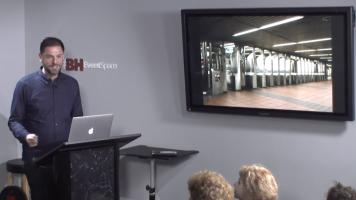
In this B&H Event Space video, photojournalist and documentary artist Natan Dvir discusses the creative process behind three award-winning projects he has completed, including “Belief,” “Coming Soon,” and “Platforms,” which is the culmination of three years of photographing around his adopted home, New York City. Topics covered include the process of conceptualizing ideas, researching your subject, the logistics of photographing street scenes in varying environments, editing, and seeing the project to completion.