Livestreaming

0 Views ·Posted
Doug shows you how achieve a high-quality livestreaming setup with this gear guide. He covers lighting, audio interfaces, green screens, Open Broadcast Software (OBS), and more.

Since we're living in a time of enhanced remote communication, let’s talk a bit about upgrading your video camera and streaming options to optimize your organization's message, and break down all the equipment you’ll need to visualize and automate your environment. One of the most efficient options for automating, consolidating, and broadcasting video to remote viewers is the PTZ camera.
The letters PTZ stand for “Pan, Tilt, Zoom,” which are the basic mechanical functions of these cameras. The acronym “PTZ” has now become synonymous with

Whether you want a professional look for your livestreams or simply to look better during your next video chat, one of the best options is to use a dedicated camera with excellent video specs—such as your Olympus Micro Four Thirds mirrorless camera. Now that Olympus has launched the OM-D Webcam Beta you can get these advantages without much effort. A few key accessories can

By this point, I'm sure nearly everyone has joined more video calls or meetings than they can count. For better or worse, it seems that even if our lives start to return to "normal," the idea of video conferencing and livestreaming will remain just as strong. Now, you might be wondering how to use a current camera (or future one) for streaming or even just how to upgrade from your device's built-in webcam. You have come to the right place to learn how to stream from just about any modern camera.
Option 1 (Best Quality): Clean HDMI or SDI
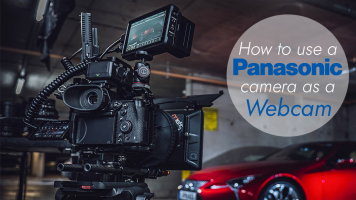
Whether you want a professional look for your livestreams or simply to look better on your next video chat, one of the best options is to use a dedicated camera with excellent video specs—such as your Panasonic mirrorless camera. To make this happen, Panasonic has introduced the Lumix Tether for Streaming (Beta) application for simpler connectivity. Since you likely already have

Whether you want a professional look for your livestreams or simply to look better on your next video chat, one of the best options is to use a dedicated camera with excellent video specs—such as your FUJIFILM mirrorless camera. To make this happen, FUJIFILM has introduced the X Webcam utility for simpler connectivity between X Series and GFX cameras and your computer. Since you

Whether you want a professional look for your livestreams or simply to look better on your next video chat, one of the best options is to use a dedicated camera with excellent video specs—such as your Canon EOS DSLR, mirrorless, or PowerShot camera. To help facilitate the process Canon has introduced the EOS Webcam Utility for connecting the

Whether you want a professional look for your livestreams or simply to look better on your next video chat, one of the best options is to use a dedicated camera with excellent video specs—such as your Nikon mirrorless or DSLR. Since you likely already have the camera and a compatible USB cable, it seems like an easy way to improve your video calls.
Why Use a Nikon Camera Instead of a Webcam?
In one word: quality. The webcam that comes with your tablet, laptop

Looking to display an impressive background while streaming from home with Skype, Zoom, or similar interfaces? Whether you want to use a simulated starship deck, a tropical beachscape, or simply a photo of your true work office, read on to see how a basic green screen can up your streaming game (not that your home office/corner of the sofa is at all cluttered or less than picturesque, of course).
Green screen use is also known as “chroma-keying,” a technique where two layers of video are composited or “keyed” together so that your chosen

0 Views ·Posted
Doug takes the Panasonic AG-CX10 out to test its various features, such as the built-in ND filter and 5-axis hybrid O.I.S. system.
Like what you see? Read more about the CX10 in this Hands-On Review.

In this article, we’re going to cover how to set up an audio stream for your house of worship, so that you might reach people in their time of need. We will start by providing you options that let your congregation gather in the safety of their own vehicles in your parking lot—specifically, short-throw FM transmitters and networked solutions. Finally, we’ll cover ways to stream your service across the Internet as a whole, so you can reach your parishioners in their own homes.
Localized Broadcasting Solutions
Our first option involves FM

In times of transition, such as adding an extension to your business, creating a personal brand, or, especially now, mandatory social distancing during a pandemic, it becomes necessary to connect with friends, clients, or an audience in different ways. Livestreaming video seems fairly easy at its most basic if you're talking to your Mom or a friend on your smartphone, but when, for example, a yoga teacher needs to suddenly transition their classes online or a house of worship needs to reach their congregation, a higher-quality approach may be
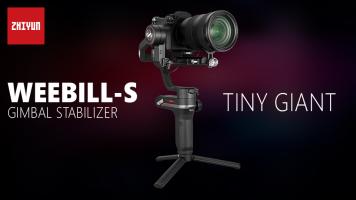
by Staff Writer ·Posted
We here at B&H Photo are happy to announce the new Zhiyun-Tech WEEBILL-S. Touted by Zhiyun-Tech as the “Tiny Giant,” it features motors that are 50% more responsive and have 300% more torque than previous gimbals. This allows the WEEBILL-S to remain small and lightweight, while supporting DSLR and mirrorless cameras without reaching the limits of the gimbal’s motors—all of which makes it easier to operate the gimbal for extended
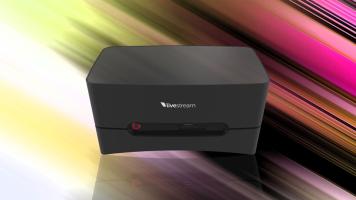
Founded in 2007, Livestream’s mission statement is to enable organizations to share experiences through live video, unlocking a world where every event is available live online. With its latest Studio One products, Livestream makes broadcasting to millions a simple and elegant process.
Livestream Studio One UHD 4K with 2 x HDMI Inputs
The Studio One is available in three configurations: 4K, HD, and

Another of Vitec Group's Creative Solutions brands, Teradek, had many of its latest accessories on display. Streaming buffs will appreciate the Teradek VidiU Go, the second-generation VidiU product. It offers efficient HEVC encoding in addition to the widely compatible H.264 encoding format for streaming to your CDN of choice. If you're wondering