Computers
- Recently Added
- Popularity
- Name
About 158 filtered results

by Steven Esposito · Posted
There are so simply so many distinct types of batteries. We have old-school alkaline batteries that have powered everything from your childhood toys to smoke detectors. There is a huge chance that your phone, tablet, or laptop uses a rechargeable lithium-ion battery. But there is a new type of battery that is slowly entering the market—solid-state batteries. Today we are going to discuss what they are, what they can do, if they’re better than lithium-ion, and even more questions you might have. So, let’s dive in.
What Are Solid-State Batteries

by Steven Esposito · Posted
Mothers are the lifeblood of the world. They were there when you scraped your knees the first time, raised you, introduced you to the daytime television you watched when you were sick from school. That is enough to ensure that you give her the best tech-related Mother’s Day gift you could possibly give her. And if you’re looking for that special gift for your wife that isn’t just breakfast in bed and a card, we have some suggestions.
The Casual Mom
For the moms who are casual users but in need a slight upgrade, I must suggest the

by Steven Esposito · Posted
Previously we discussed the features you should consider when shopping for an entry-level creative laptop. The idea was to help you find something that would be suitable for the kind of software you’d be using at the beginner level; in other words, crawl before you walk. But what if you are further along in your creative career and you need

by Steven Esposito · Posted
Let’s cut to the chase: You’re a seasoned developer, a creator who was once an apprentice and is now the master. It’s time for your creative work to finally shine and there is no better way than with a powerful laptop. But finding the right device is more than just saying, “give me the best.” Let’s dive into what you should be aware of so you know you’re getting the best device.
A pro-grade laptop, as I call it, tends to be a no-compromise device. It is important to note that creative laptops of this level have a lot in common with high-
Posted
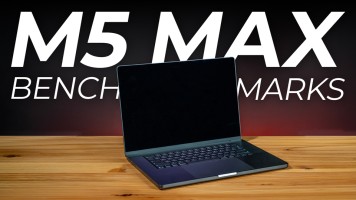
Apple's latest M5 Max chip is simply incredible. Doug tests the export and rendering times for Adobe Premiere Pro, DaVinci, and HandBreak, as well as how those benchmarks compare to the M1 Max.
0:00 - Intro
0:17 - M5 Pro vs. Max
1:13 - Fusion Technology
1:28 - What's Changed?
2:43 - What We're Testing
3:02 - Adobe Premiere Pro
4:06 - DaVinci Resolve
5:01 - AI Video Upscaling
5:43 - HandBreak Encoding
6:25 - Core Utilization & Clock Speeds
7:47 - Doug's Thoughts
Sponsored by

by Steven Esposito · Posted
If you’re starting a video podcast or looking to get into live streaming, you’ve come to the right place. I have experience with both, so I speak from personal experience when I say you’ll need a capable computer to do either. What kind of computer exactly? Thankfully, the answer is simple.
For the time being, I can’t suggest building your own PC just for this. The prices of memory (or RAM) have skyrocketed due to the demands of AI infrastructure. In many cases, the price of memory has even surpassed some pre-built systems I’ve seen. The good

by Steven Esposito · Posted
One of the most essential components of any computer system is its storage device. Whether you are a business professional, artist, editor, or even a gamer, you need room to save your digital library of games and media. But which option is best suited for your demands, a Solid-State Drive (SSD) or a

by Steven Esposito · Posted
“I solemnly swear to back up my important documents and precious memories on March 31.” That is the pledge for World Backup Day, an organization whose goal is to make sure your personal data is safe. It is a noble mission, and B&H would like to do our part to spread the message and help provide some resources so you can start backing up.
This page is neither officially supported nor endorsed by World Backup Day.
What Would You Do If You Lost Everything?
It’s a chilling question

Posted
Before the timelines, color grading, and fancy transitions, video editing starts with offloading your footage. Patrick shares how the OWC Envoy Ultra Portable SSD allows him to avoid bottlenecks, juggling lots of assets, and much more!
0:00 - Intro
0:48 - Copying Footage
1:09 - Card Reader?
1:30 - Editing from Drive
1:59 - Thunderbolt 5 Cable
2:11 - More Attributes
Sponsored by

by Steven Esposito · Posted
As time passes, technology evolves. Some older technology is left in the dust while new and improved options begin to thrive! Do you remember Firewire? Chances are you do, but do you remember the last time you needed to use it? That’s because connectivity has become so much more streamlined within the last several years and perhaps it is time for a refresher course in the wild world of USB! So, get out that box of tangled cables and look at which ones you need and which can be thrown out.
Connectivity and Ports
What came first, the connector

by Steven Esposito · Posted
Mass storage, the only solution that can save us from that overflowing drawer of thumb drives and the spare 3.5” HDDs we swore we'd transfer over last year. Compared to other, less-capacious drives, mass storage is an entirely different beast all together. And while it may seem complex at first, fear not, for today we are going to guide you through the various ins and outs of mass storage.
Types of Mass Storage Units
The computer world

Posted
Doug discusses how the MSI Prestige 14 Flip (featuring Panther Lake and AI+ EVO) can easily switch from business to creation. You're going to flip when you see what this work laptop has to offer!
0:00 - About
0:30 - Key Specs
1:28 - Panther Lake Chips
3:30 - How Does It Handle So Many Tasks?
4:40 - Video Editing Benchmarks
5:16 - Gaming Benchmarks
6:11 - Size, Build, Keyboard, & More
7:28 - Final Thoughts
Sponsored by

by Steven Esposito · Posted
So now that we know a little bit more about mass storage, let’s take a look at a few physical items that will help you create your own little digital library of photos, videos, music, and more. It all starts with a concept: What are you looking to do with your mass storage drive? Are you a creator who needs a lot of space? Maybe something small enough to transport? Maybe something big for your company? There are tons of units out there and we are going to help provide you with a solid jumping off point.
Simple Solutions
OWC Gemini 2-Bay

by Steven Esposito · Posted
We previously discussed some of the things you should look out for when it comes to buying a portable drive. Whether that drive be a flash drive, an HDD, or an SSD, we here at B&H have you covered with plenty of options. Here are a couple of our personal favorites that should inspire you to find the exact drive that you may need.
Flash Drives
SanDisk Ultra USB-A 3.2 Gen 1 Flash Drive
You can’t go wrong with ole reliable, the

Posted
MSI's Mini Desktop Computers can help you accomplish almost any task or activity you desire. Doug shares his various mini PC setups to test how they perform when working from home, recording voice over, gaming, and more.
0:00 - Overview
1:17 - What Specs Set Them Apart from Each Other?
2:24 - Working from Home
2:57 - PC Gaming
6:25 - Recording Voiceover (CUBI N)
7:19 - Home Servers & Cloud Storage
8:56 - Off-Loading Footage
10:14 - Bonus Case
Sponsored by