Computers
- Recently Added
- Popularity
- Name
About 15 filtered results

by Zack Young · Posted
Many budding filmmakers have toiled away on the color correction and grading of their first masterpiece, watched it over countless times, hit the export button, pulled it up on a TV, and been shocked. "This looks nothing like I was expecting. The colors! The contrast! The saturation!" Although there's no universal fix for differences in how devices display an image, the most common culprit of these headaches is
by Steven Wong · Posted
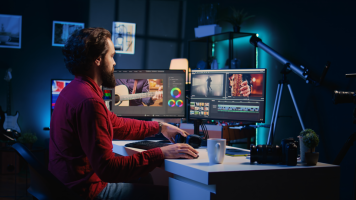
Successfully recording a video podcast episode is just the first step in the process. Now it’s time to edit it down for time, add in B-roll, music, maybe some effects, and make sure the sound levels are good. Although much, if not all, of the work can be done on a laptop, there is much to be said about working from a large screen when editing video. Having a large screen experience can not only optimize your workflow by allowing you to better track your clips, but it can also enhance the recording experience itself. So, if you’re wondering

by Mos Khan · Posted
When it comes to choosing a gaming monitor, there is no one perfect solution. Different gamers have different needs: hardcore pixel addicts won’t settle for anything less than 4K; frame chasers favor high refresh rates above all else. The list goes on.
The good news for gamers is there are great options available, with bigger and better models popping up all the

Posted
A quality computer monitor is essential in any creative’s workstation. Sam shares our gift guide for professional photographers, video editors, and those who need a more budget-friendly monitor option.
0:00 Intro
0:17 Professional-Level Color Accuracy
1:48 Photo & Video Editors
3:50 Budget-Friendly

by Steven Wong · Posted
Whether you’re updating an existing design or creating a layout from concept to finish, having the right monitor can help you effectively convey your message. But with so many options currently available, it can be difficult to decide which monitor is the right choice for you. Don’t worry, we’re here to help you find a professional-level display that fits into your workflow, space, and budget.
BenQ DesignVue Designer PD3225U
Made with artists and designers in

by Steven Wong · Posted
When processing photos for clients, you probably want to get in and out of the editing bay as quickly as possible. But it can be challenging to find the right professional display or monitor that fits into your workflow and budget. Don’t worry, we’re here to help with three things to keep in mind when considering a professional display. That way, you can find the perfect look and get back to shooting.
Color Accuracy
Whether it’s weddings, portraits, or street

by Mos Khan · Posted
A drawing tablet translates the strokes from a pen or stylus to your computer. Illustrators or animators often use this type of device when they require the precision of a stylus input. A stylus can even be useful for a variety of other creative work, such as when photographers want to retouch their images. Although a mouse is fine for everyday tasks like surfing the Web or scrolling, a drawing tablet grants a much higher degree of precision while also feeling more comfortable and natural for the user. Anyone who has ever struggled to recreate

by Mos Khan · Posted
Streaming has never been more approachable than it is right now. Regardless of the type of content you want to stream, the right equipment is readily available and in most cases relatively easy to set up. In this beginner’s guide, we’re going to take a look at the different tools and equipment you’re going to need in order to get started on your journey to become a streamer.
Getting Started
Most conventional streaming setups include a web camera, microphone, streaming software, and a capable PC with a stable internet connection. Depending on

by Tony Azzara · Posted
Whether you work in an office, at home, or somewhere in between, technology likely plays an important role in your workday. If you’re feeling like your office could use a bit of a gadget tune-up, or if you are looking for new ways to improve the comfort, productivity, and overall flow of your current workspace configuration, we have some recommendations for you.
COMPUTER MICE
Although it might seem like a small detail, the quality of your mouse can make or break the comfort and efficiency of your workflow. An ergonomic mouse is your best bet
by Mos Khan · Posted
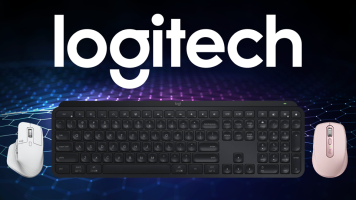
When it comes to computer peripherals, few brands offer a catalog of accessories as comprehensive as Logitech. The company recently expanded that catalog with the release of the MX Anywhere 3S and MX Keys S, which are updated and optimized versions of its non-"S" counterparts.
On May 30th,

by Mos Khan · Posted
For gamers, a comfortable pair of headphones with great audio is an indispensable tool if you're looking to fully immerse yourself in your games. You can have the best gaming setup around, but your experience will be absolutely underwhelming without a good pair of headphones. In general, there is no perfect, one-size-fits-all pair of headphones since comfort can be pretty subjective, so we highly encourage trying on any pair you're considering if you have the opportunity. Additionally, what sounds good to one person might not necessarily sound

by Mos Khan · Posted
Whether you've just built or invested in a PC, the right accessories can significantly elevate your desktop space and improve your experience in little ways―or even change the way you interact with your machine altogether. We've put together this guide to share some accessories that we love using in our setups and hope you will, too.
Keyboard & Mouse
Sure, any mouse or keyboard can get the job done for casual browsing, but we think it’s absolutely worthwhile investing in the right keyboard and mouse from the jump. It's like the desktop
by Mos Khan · Posted
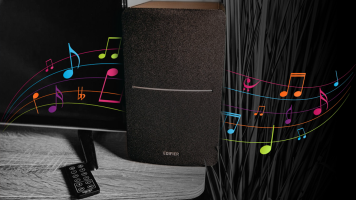
While built-in speakers might get the job done, if you really want your audio to sing, investing in a decent pair of speakers can get you a lot more enjoyment. Thankfully, you don't have to break the bank to get speakers capable of outputting quality audio. The best budget speakers can elevate your listening experience and, to help you get started on your search, we've rounded up a couple of our favorite ones below.
Best Speakers for less than $100: Creative Pebble Pro
Creative's Pebble speakers have started to garner a bit of a cult following

by Mos Khan · Posted
So you've shot your video, finished that shoot, or wrapped up the recording session, and you're probably wondering, now what? Well, it’s time to begin post-production. Regardless of your chosen medium, owning the right gear will make the post-production process significantly faster and more efficient. The purpose of this guide is to help break down some popular and essential peripherals and make them work for you. As we dig into a few recommendations, we'll also look at some of the different categories of equipment that exist, because your

by Mos Khan · Posted
Apple's MacBook has become so ubiquitous it's no wonder this laptop has an extremely robust ecosystem of accessories. Of course, no two people have the same needs, so accessories can really help fill in the gaps in a workflow. The best ones can increase productivity or provide access to additional ports and, in general, can increase one's quality of life significantly. While there are way too many accessories to cover every single one in this guide, we will take a look at some staple categories and a few of our favorite recommendations for