Video
- Recently Added
- Popularity
- Name
About 620 filtered results

Posted
Matt tests out the Tilta Nucleus Autofocus Adapter, showing you how to set it up and demo footage. Stick around until the end to hear Matt's thoughts.
0:00 - Elevator Pitch
0:26 - Today's Camera Setup
1:26 - Adding Lens to Library
6:17 - Autofocus Tests (In Studio & Outdoors)
8:58 - Matt's Thoughts
Sponsored by

by Zack Young · Posted
With cameras outputting increasingly higher resolutions, many creatives are deciding to de-sharpen their images and find new ways to wipe away some of that digital sheen, easing highlight transitions in the process and adding analog warmth to modern video. Kondor Blue’s first entry into the world of softening is their Opaline Diffusion Filter, with a new screw-on offering now available in a variety of sizes and strengths. We

Posted
Now that you've filmed your video, it's time for editing and delivery in HDR. Doug dives deeper into HDR formats, as well as standards and workflows when working with HDR video. Join him in DaVinci Resolve where you'll learn about both the technical and creative sides.
0:00 - Intro
1:03 - Choosing an HDR Monitor
5:08 - Color Gamut
6:44 - Setting Up Your Monitor & Project
10:39 - Grading in HDR
24:28 - Exporting & Delivering
25:32 - Final Thoughts
Sponsored by

by Jennifer Hahn · Posted
Point-and-shoot cameras are a great value-add to your photography kit, social media sharing, or as a vacation companion for quick stills and capturing memories on the fly. And these days, the value is even greater with point-and-shoot video recording. The point-and-shoot design makes things simple to change to video mode and press record. Though after you’ve captured your video, it can become cumbersome to edit and share that footage.
Some cameras allow you to edit/trim your video footage (also called “Movies” in some cameras) in camera, which
Posted
In part one, Doug shares how you can introduce HDR into your workflow. He discusses the advantages and disadvantages of shooting HDR video, the basics of HDR formats, and monitoring HDR on set.
0:00 - Intro
0:59 - What Is HDR Video?
2:20 - HDR Format Basics
5:30 - Middle Gray
7:19 - HDR Monitoring
12:59 - A Note on Exposure
13:45 - Where Is 18% Gray in HDR?
14:26 - Final Thoughts

Posted
Join Lotta to learn what sets Insta360's Luna Ultra apart from other gimbal cameras, including its dual Leica lenses, ability to capture up to 8K30fps action footage, and more.
0:00 - Sensor & Leica Lenses
0:35 - Photos & ND Filters
0:52 - Modes
1:05 - LCD Screen & Tracking
1:38 - Battery Life
1:51 - Who Is This Camera For?
Sponsored by

Posted
Large format sensors have been making their way across the filmmaking industry, so a need for compatible lenses has arisen. Enter ZEISS's Panoptes 65 lineup of cinema lenses. Join Doug for two video shoots—one in-studio and the other a documentary-style—as he puts the 35mm, 40mm, and 110mm through their paces.
0:00 - Intro
0:28 - Indoor Video Shoot
3:18 - Test Footage (Indoors)
4:19 - Outdoor Video Shoot
5:04 - A Note on Image Quality
7:04 - Demo & Test Footage (Outdoors)
10:00 - Doug's Overall Thoughts
Sponsored by

Posted
Sidney tests the DZOFilm Arcana anamorphic prime lenses, DZOFilm's most affordable anamorphic lenses for the burgeoning filmmaker.
0:00 - Intro
0:34 - Test Footage
1:40 - Physical Specs
2:23 - Breaking Down the Test Video
2:57 - Creative Potential
3:33 - Flare Test
4:30 - Bokeh Test
5:32 - Who Is This For?
Sponsored by

by Jennifer Hahn · Posted
Many moons ago, when the economy was unstable and layoffs were rampant, this author decided to switch careers to pursue filmmaking. With a new perspective and energy, but without any guidance, knowledge, or tools, going back to school for digital filmmaking was a no-brainer. The aim was to tell real stories in documentary form, and it became a challenging but ultimately rewarding adventure.
Tips for Starting Out
If you’re just starting out at the dawn of your student career, or find yourself older and wiser looking for a change, and you want

by Steven Esposito · Posted
Whether you are learning the craft of cinematic filming, content creation, or even video editing, Professor Zack is here to get you started!

by Steven Gladstone · Posted
Learning to speak and use the language of lighting can go a long way to creating images that move the audience, immersing them even further. It will also make working on set much more efficient, helping you create more powerful images in less time with your crew.
This article will cover basic lighting types, so you can become familiar with what is available.

by Steven Gladstone · Posted
When creating images for a film, you try to balance your shots so that you draw the audience into the movie, while at the same time they forget that they are watching a movie. Usually, the last thing you want is to break the illusion and have the audience snap out of their reverie.
As you read this article, you may want to pause and rewatch some classic films, or films that had a powerful effect on you. Examining the new and different techniques, lighting, and compositions used to create impact, mood, and feeling will help you grow as a
Posted
Filmmaker Cooper O’Hearn and photographer Derek Fahsbender team up to break down filmmaking to its core, from pre-production and camera settings to storytelling, theory, color-grading and more.
0:00 - Intro
7:58 - Photography vs. Videography
10:59 - Frame rates & Shutter speed
17:29 - ND filters
19:18 - Aperture& ISO
24:32 - White balance
26:17 - Peaking & zebras
29:49 - Audio
32:21 - Color Profiles
34:22 - Editing software
36:19 - File storage
42:23 - Types of shots
45:13 - Filming tips
by Steven Gladstone · Posted
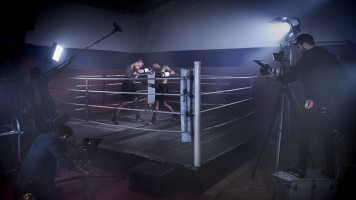
In the second part of our series on how to Accessorize Your Gear for Your Shoot, we’re going to be talking about music videos/location work, narrative single camera shooting, and full-blown studio work.
Music Videos/Location
Light, fast, and mobile are the key elements here, making camcorders an excellent choice. Mirrorless cameras and interchangeable lenses are also an enticing option.
by Zack Young · Posted
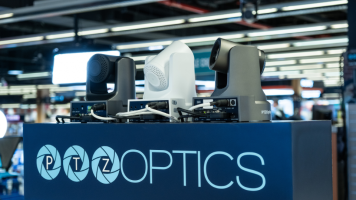
If you’re capturing a live event like a religious service, the best way to engage online viewers is by providing them with an even more dynamic view of the action than they could get in person. This is rarely achieved by throwing an iPhone on a tripod in the back of the room. Instead, we’ll show you how to use PTZ (pan tilt zoom) cameras to stream professional, high-quality versions of your events and services out to the general public. We’re breaking down the equipment, software, streaming services, and more.
Equipment Needs
On the most basic