
So you’ve made the plunge, and are now the proud owner of your very first GoPro HERO. Or maybe it was an unexpected but very much welcome gift. Either way, if you’re new to the action-camera genre you’ll be wondering, understandably, just what the heck you can do with it.
Whether it’s the HERO4 Silver Edition or the HERO4 Black Edition, in most cases starting out, you’ll opt for the “Action” bundle. A basic starter kit includes the Standard (131') waterproof housing, flat and curved adhesive mounts, a pivoting arm, and a quick-release buckle that binds the housing with the mounts so the camera can be removed easily without detaching the mount itself; a great start if you’re just using it as an action cam.
Since the first Digital HERO, GoPro cameras have targeted—many would argue established—the action-cam market. But where does that leave the user who is just looking for a home-movie camera, not something to record B.A.S.E. jumping over the Grand Canyon? Propelled by innovative users, the GoPro HERO line has proven itself to be much more than its creators could ever have imagined.
Take a look at what the camera has going for it: a small size that, with its housing, is pretty indestructible as far as a consumer camcorder goes. And it’s incredibly simple. The Power button and Record START/STOP buttons are literally the only controls you need to think about. Once recorded, the footage can be edited easily with popular software like Apple’s iMovie or Adobe Premiere Elements. Or you can even upload directly to YouTube—though you may want to do a bit of compression first (more on this below).

For the non-action user, here are some accessories you’ll definitely want to consider when starting out.
The Basics: A Case
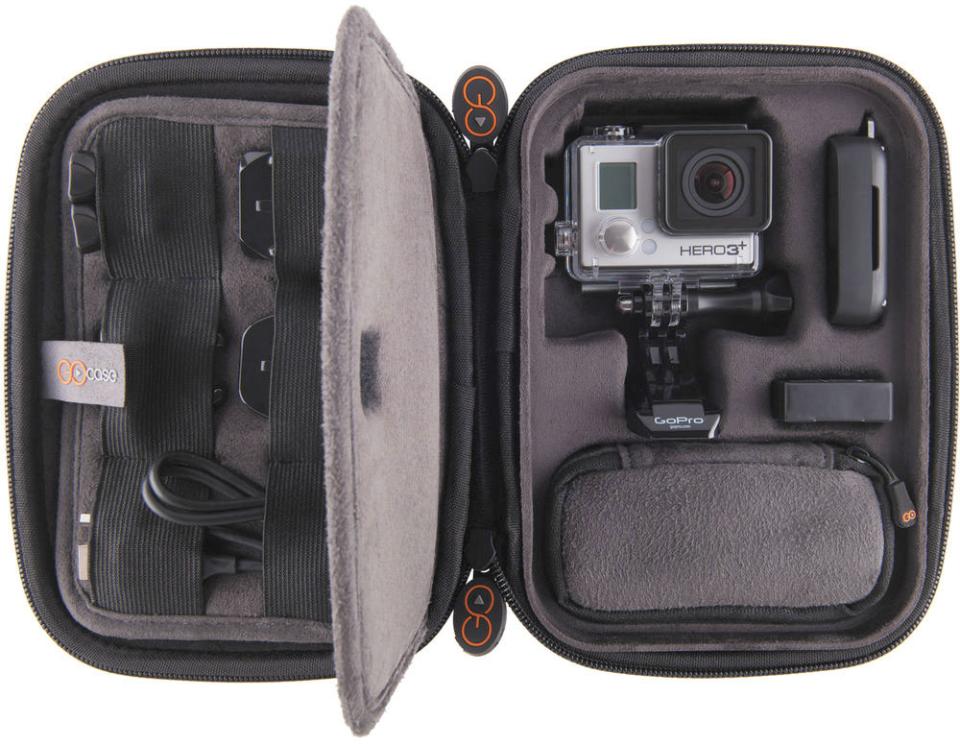
The most basic accessory for a GoPro, or any camera, is a case. This can be anything from a drawstring pouch to a waterproof hard case. A pouch helps keep the paint looking fresh, but that’s about it. I’d recommend something a bit more robust; the camera is sturdy but not impervious. GOcase has some nice semi-rigid options, perfect if you are looking to store the camera in its housing along with a few small items, such as a spare battery, memory cards, and cables. The cases hook easily onto a belt or the outside of a backpack, or fit nicely packed inside a larger case. At the other end of the spectrum, Go Professional Cases makes a range of hard cases in all sizes—from a mini case that holds just one camera all the way up to monsters that hold 12 individual cameras.
The Basics: Batteries
Estimating battery life is tricky, since there are so many variables, and cold temperatures are notorious for shortening battery life. At best, the HERO4 cameras offer about two hours on a full charge—probably closer to 90 minutes in reality. The bad news for existing GoPro owners is that the battery for the HERO4 is all-new; your HERO3 and HERO3+ batteries won’t carry over, nor can you keep using the same charger. So be prepared for the next Polar Vortex this winter and stock up on batteries.

But what if changing batteries every two hours or less isn’t ideal? In that case, you’ll be a prime candidate for the Battery BacPac. This is an extended battery that attaches to the back of the camera and will roughly double your total battery life. Unlike the regular battery, the Battery BacPac works with all models from the HERO3 forward—including the HERO4 Silver and Black. When used with the HERO4 Silver, it does cover the LCD screen, so keep this in mind.
For really extreme battery life you’ll want to look at the Brunton ALLDAY battery, which boasts four times better total battery life than what the stock battery alone offers. With the Battery BacPac, a new housing backdoor is included, enabling you to retain the same waterproof rating as with the normal back door. In the case of the ALLDAY, the battery itself forms a water-resistant—though not waterproof—seal on the back of the housing. So don’t use it if you plan to scuba dive. But in the rain, mud, snow, even surface-based water sports, you should be fine.
The Basics: Memory Cards
Of course, you can’t get started without a memory card. Even if you pick up a promo that includes a free card with the camera, you are sure to want more. Obviously, you’ll want to know which card, and what size?
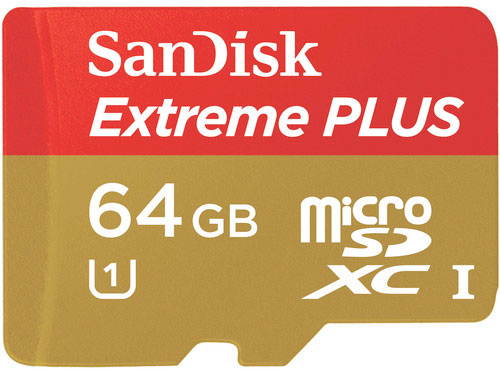
With the HERO4 (especially the Black Edition, which shoots full frame rate UltraHD 4K), you’ll need a fast card. The HERO4s use the same form factor microSDHC/SDXC as previous models, but cards that worked in the HERO3+ will likely be too slow. GoPro recommends at least Class 10/UHS 1 or faster. And note that UHS Speed Class 1 is important—any old Class 10 card may not cut it. The SanDisk Extreme PLUS is my favorite. But since card models change all the time, your best bet is to check the “Recommended Accessories” tab under the GoPro HERO model you have on the B&H website.
The capacity card you need will depend on what mode you set to shoot. Unfortunately, GoPro doesn’t tell us what the bitrates are for each of the camera’s settings, so you may simply have to put a fresh card in and check how much “time remaining” shows up in the display. I can tell you that, assuming you shoot in the highest quality 4K mode with ProTune enabled, you are looking at about 60 Mbps. Since that probably doesn’t mean much to you, at this bitrate, a 64GB card will give you approximately 140 minutes (2 hours 20 minutes) of recording time. In a middle-of-the-road 1080p HD setting, on the other hand, you are probably looking at about double this figure, more than 4.5 hours.
Wi-Fi Remote

If you have a smartphone with Wi-Fi, then you already have a remote for your GoPro. Even so, there are some reasons you might want the Smart Remote. With it, you can control settings, start and stop recording, and even tag footage (HERO4 only), plus, there is a built-in status display with clip duration, remaining battery, remaining card space, and other vitals—all that you get from the app. What you don’t get—from most smartphones, at least—is a 32' waterproof depth rating. This means you can take the remote most places you take the camera. Obviously you can’t take it diving—but then again Wi-Fi doesn’t usually work underwater! And for power users, the remote features the ability to control up to 50 cameras at once.
Mounts
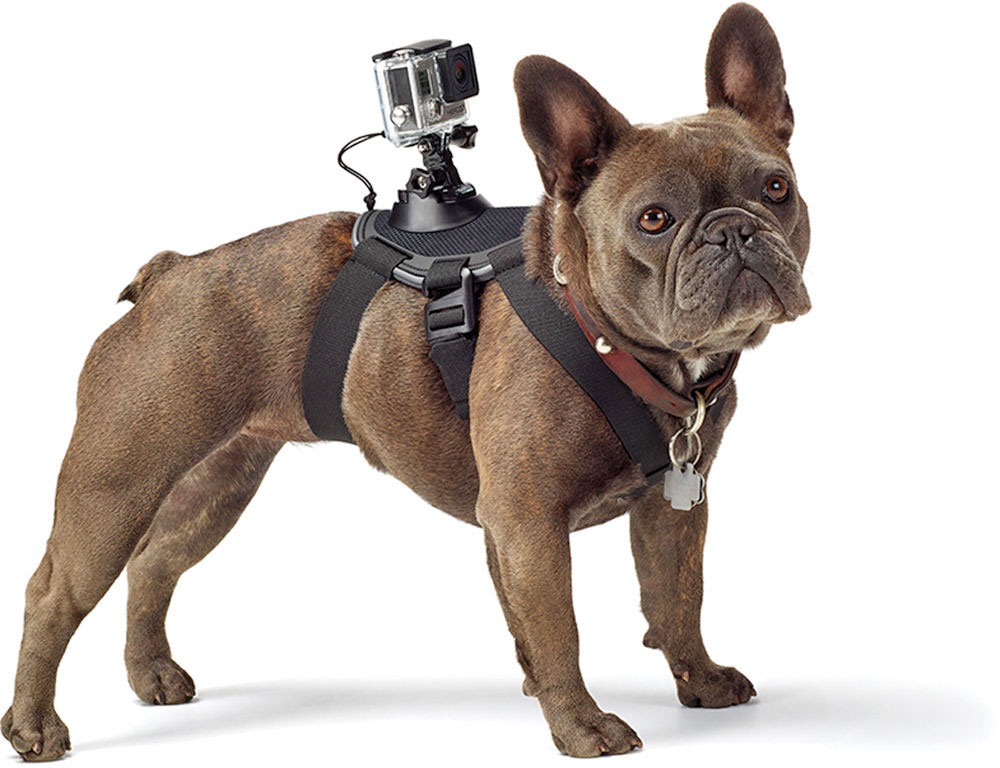
Being an action cam, you are sure to find a mount that enables you to attach your camera to just about anything—even a pet. But let's say you just want to get a few quick shots of the kids or some video to remember that amazing cruise. Since the GoPro was designed to be mounted, it’s not great as a handheld camera. A good place to start for more general-purpose shooting is a handle or camera pole. Options range from simple handles for easy handheld shooting to telescoping poles that allow you to get creative with camera angles and even capture group selfies. Some models conveniently feature a clip for the Wi-Fi remote so that you can still control the camera, even when it’s beyond arm’s reach.
Editing Software
Since the HERO records in an H.264 MOV file, you can often upload the footage directly to social media websites like YouTube and Facebook. However, because of the large file size—especially if you are shooting UltraHD 4K—you might not want to. If all you plan to do is upload without editing, you can use GoPro’s own utility software included with the camera to convert. The software features social-media-friendly presets programmed in. Or you can tether the camera to your mobile device and upload a Web-friendly copy straight from smartphone or tablet that has an Internet connection.

But if you want real editorial control or more flexibility in terms of output options, more than just GoPro’s software will be required. You’ll want an editing program. Apple users are in luck; they can just use iMovie. But if you’re on Windows, Adobe Premiere Elements, Sony Movie Studio, CyberLink PowerDirector, and Pinnacle Studio are all great choices. Which one of these to buy hinges on the features you want and the interface you prefer. In most cases, you can download a trial version from the software maker and test to see which your favorite is, before purchasing.
In case you're wondering, a lot of software now works with 4K footage, too. However, one should be prepared for sluggish performance on all but the fastest computers—a reality that is quickly changing. If you still want to record in 4K, you may be best served creating an HD-resolution copy (sometimes dubbed a “proxy”) that is more CPU friendly and edit that. Save the 4K “master” until you pick up that new TV.
Conclusion
These are but a handful of accessories you might “need.” Let’s be honest, that you might really want for your shiny new GoPro. Of course, there are loads more, and I could go on all day. I hope these will be enough to whet your appetite. But if you’re still hungry for more ideas for outfitting your camera, head over to the “Recommended Accessories” tab on B&H’s product page for your HERO model. You should also check out our Tips for Using GoPro Cameras in Video Production article. With so many options, there really is no reason you should ever get bored with your new camera.
