Post Production

When the megapixel counts started to stabilize at about 24MP, many of us thought the days of constant one-upmanship in camera resolution was just about over. Well, apparently, they were just on a break because, in the past few years, we have seen the release of

Looking at the computer market these days, you might think it’s a bad time to buy a music production laptop. AI-induced RAM shortages have caused computer costs to skyrocket. But with AI going nowhere fast and no sign of this trend slowing down, now may actually be the best time to get in while the getting is good. After all, prices may only go up from here! And with great advances in software and hardware over the last few years, you have some impressive choices available to bring your music production setup into the 2020s. So, let’s go over

If you are reading Explora, you know that photographs make great gifts. What you might not know is that there are many ways in which you can transform your photos into gifts. Below is a countdown of the best ways to make your photographs shine this holiday season.
10: Polaroid Family Tree Stand and Frames
Don’t know what to get Grandma? The Polaroid Family Tree Stand and Frames is a great gift for parents or grandparents. Five 2 x 3"

In this third and final installment of our 4K Production Series, Doug Guerra explains how to finalize your video project and export the final product. Learn important tips and tricks, such as round-tripping to Resolve from Premiere and back, as well as export settings ideal for your delivery format. Whether you’re interested in creating content for the Web, TV, or theatrical release, knowing how to finalize your project will bring about an appreciable difference in the quality of your export. We hope you enjoy the video, and invite you to view

by Jason T ·Posted
When it comes to audio for video, no one ever seems to notice it unless it’s bad. And if it is bad, it can completely ruin your project. While we always try to record the best production audio we can from the get-go, problems are bound to pop up. In the end, we must assess the audio we’ve got and use our mixing, restoration, and dialogue replacement skills to make it all work. So, here are five post-production tips for better audio in your videos.
Tip 1: Pick the Best Sounding Mic for Each Shot
Once you’ve got your OMF or AAF file imported
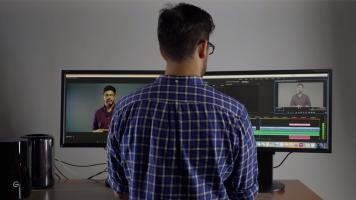
Learn how to handle data-intensive 4K workflows properly with Doug Guerra in this second 4K Production Series installment. From ingestion to data wrangling and encoding, a great deal must be considered to keep an organized dataset. Some general NLE guidelines are also discussed to help you along. We hope you enjoy the video, and invite you to view the wide selection of other instructional and informative videos at BandH.com.

There is still time left to enter the 2017 B&H Photo Before & After Photo Editing Contest! You could win the grand prize of an Apple MacBook Pro or Microsoft Surface Laptop, or bring home a B&H Gift Card!
An all-star panel of judges will pick the winner, and photos will be judged on inventive use of foreground, middle ground, and distance, creativity in editing, originality, and overall impact. The judges include John Paul Caponigro,
by Nicholas Messitte ·Posted
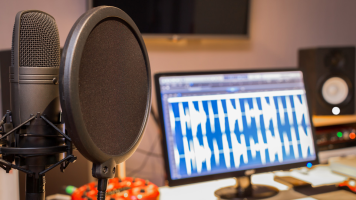
Here’s what you need to know right off the bat: Mixing vocals for podcasts is quite different from mixing vocals for music, where the trend is to impart sheen, sparkle, luster, and other trebly adjectives. A simple A/B test between any Gimlet podcast against any Justin Bieber song will prove the difference: What constitutes a solid, pro sound in the podcast world is a meatier affair, and an altogether different target.
Yes, your podcast vocals do need to be present. But, quite often, vocals are not the main attraction in a podcast—they’re the
by Nicholas Messitte ·Posted
It’s a cliché to even say it, but everybody has a podcast. I myself have, like, I don’t know—six? I kid. It’s more like two. With a glut of podcasts hitting the media landscape, how do you make sure yours stands out? Marketing, of course—one hopes for the viral kind. But still, it helps immeasurably if your podcast is a pleasing listen, transporting audiences from their dull lives commuting to and from work, a fate from which there is no escape.
This calls for sound design: the creation of a sonic landscape, combined with good old-fashioned

by Philip Nichols ·Posted
For well over twenty years, people working with audio have seen dither on hardware, digital audio workstations, and plug-ins, yet many fear to tread near it. Some have filed it away as unexplainable and irrelevant. Others proclaim startling “truths” about its miraculous powers. The good news, or perhaps bad, is that dither will not transform your musical mud into gold, nor will it topple your towering wall of sound into rubble and debris. So, relax a little, but not too much.
Let’s start with some facts that your parents probably never told
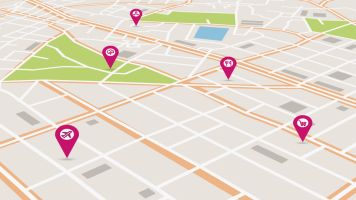
If you are new to geotagging your images, take a step back and review my article, How to Geotag Your Images. Or, did you digest that information already and now you find yourself wondering, “I geotagged my photos. Now what?” Well, here are some ideas on what to do after you geotag your images.
Maps
A lot of photo software and photo image hosting services have integrated map functionality. Photos on the Mac system, Flickr, and Google’s

by Allan Weitz ·Posted
If you’ve ever tackled small-product photography, armed with the wrong tools, you know how challenging it can be to capture photos worth the time invested in taking them. Approaching small-product photography with the right tools is a whole other experience. Depending on your needs, the Savage Product Pro LED Light Table might very well be one of the right tools for the job.
Photographs © Allan Weitz, unless otherwise noted
Available in

14,000 Views ·Posted
In this quick look at the X-Rite Colorchecker Passport Video, Allan Weitz, of B&H Photo, details its uses and features, explaining the advantages of adding a color chart to your video workflow. In exploring this versatile-multipurpose tool, Weitz highlights the ease of use and specific advantages of each of the targets that make up the Color Passport Video, while pointing out their benefits to you in crafting your final image.