Computers
- Recently Added
- Popularity
- Name
About 613 filtered results
by Staff Writer · Posted
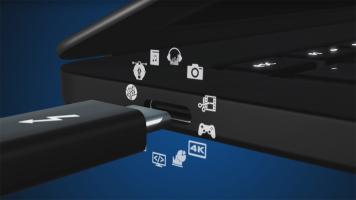
With so many different connector types on our laptops and desktops nowadays, such as Thunderbolt™ and Lightning, navigating through the minefield of ports has become quite frightening. Therefore, we thought it would be a good idea to go over one of the newest, most capable interfaces, Thunderbolt 3, with a simple infographic that lays out the basics.

by Lawrence Neves · Posted
Mesh networking, whole home Wi-Fi, surround Wi-Fi—yes, there are new technologies coming to your home on which you’ll need to brush up. Today, we’re looking at these three terms, which are all different names for the same thing—Wi-Fi that expands the coverage in your home and creates coverage “bubbles” that will allow you greater freedom and more diversity with your home or small business networks.
What do you think about mesh networking? Fad or future tech? Innovative or inconsequential? Let us know in the comments section below.
Need more

by jaime traba · Posted
September 8, 2016, marks the 50th anniversary of the premiere of Star Trek The Original Series (TOS), and as I write this piece (with my Tasha Yar and Hugh the Borg action figures staring back at me from my desk), it’s hard not to dwell on the legacy of this franchise with which I have a borderline odd preoccupation, going to the lengths of getting B&H’s head editorial honcho to agree to let me write a piece that discusses my action figures.
Star Trek, for those of you who had significant others in high school, is creator Gene
by Cris Silvestri · Posted
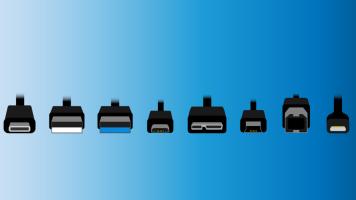
Things change so quickly in the tech space that even professionals sometimes find themselves stymied by the incessant and confusing terminology surrounding certain protocols (like the ones we're going to discuss today - Thunderbolt and USB). I remember the days of 8-track tapes, but I also remember when tapes were surpassed by CDs, and CDs were surpassed by MP3s, and now how MP3s are being taken over by streaming music sources. Thinking back on those days, I was constantly barraged by new terms every day that made it difficult to slog through
by BH Online Videos · Posted
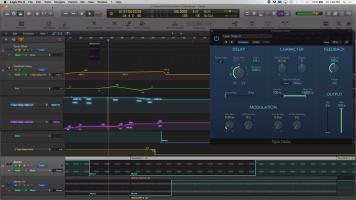
In the following “How To” video, Robert Rives demonstrates how to automate the parameters on a delay plug-in to create a dub-style feedback effect for a transitional break in an EDM style track. Rives shows you how to set up your tracks, buses, and the tape delay plug-in. Using touch automation, he records parameter automation for feedback delay, panning, high and low cut filters, and mute, to create a smooth breakdown. The results are polished and professional sounding. We hope you enjoy the video, and invite you to view the wide selection of
by Patrick Chiang · Posted
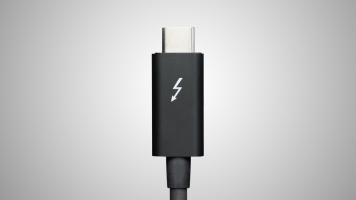
Many of us own devices with a USB Type A port. They're often seen in laptops, desktops, and peripherals since they are pretty much required for any kind of computing. However, with the push of USB Type C devices, the game has changed. With the Type C interface, you’ll no longer have to struggle with plugging in cables, because the Type C has a reversible connector—so there’s no wrong way to plug it in. Hopping on board the Type C train is Thunderbolt 3 technology, developed by Intel®. Thunderbolt 3 features a maximum throughput of 40 Gb/s when
by Staff Writer · Posted
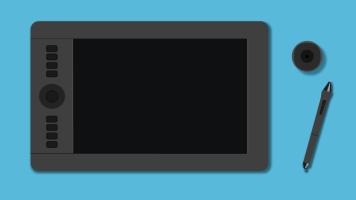
So, it’s time to set a trap for your mouse and ditch your trackpad? A Wacom pen-input tablet is a great alternative to a traditional mouse/trackpad/keyboard setup. It offers great flexibility, precise control, and more intuitive response time—all good things when you’re being hammered by deadlines and want to put on the best client-facing presentation you can. But, just in case you’re confused by all that a Wacom Intuos Pro has to offer, here’s a short

by Sarita Ashkenazy · Posted
If you’re reading this article, you either own a Wacom tablet, have just purchased a Wacom tablet, or you’re considering buying a Wacom tablet. When it comes to photographers, graphic designers, or any other computer artists, one of the single most important accessories that you could own is a tablet.
To an artist, precision is a key element, and a bulky mouse doesn’t give you that. Try silhouetting a vector-mapped image with a mouse, and you’ll end up with tears on your keyboard—real tears. Trust me. The

by Cris Silvestri · Posted
Memory cards are as ubiquitous as memory itself—almost every mobile device you own has some type of built-in storage, from cameras to iPods to tablets, and almost every device has a slot for adding additional storage space. Storage on a device can range from a couple of gigabytes of memory to dozens of gigabytes. You’ll soon find, though, that it’s never enough.
Photographers Love CF
Photographers are a rare breed. From amateur to professional, photographers depend on gear to make a difference in their art, and some of them produce astounding
by Cris Silvestri · Posted
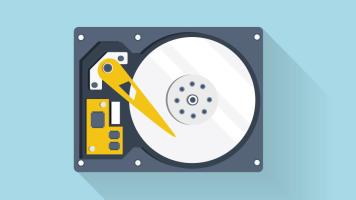
One of the most important features of computing is one of the least understood. A hard drive is at the core of any computer, and yet many consumers don’t realize the complexity of the different components that make up a hard drive. Let’s look inside the drive and explain some of the basics while we explore different types of drives and their uses.
External versus Internal Drives
First of all, if you want to store data, you need a hard drive.
by Cris Silvestri · Posted
If you haven’t gotten on the bandwagon lately and looked into NAS, you may be missing out on one of the most exciting technological advancements for the home since the advent of wireless routers. Network attached storage (NAS) is becoming increasingly popular among home entertainment enthusiasts, archivists, and small, work-at-home entrepreneurs.
The reason? Network attached storage allows you the freedom to store large volumes of digital data and access that data from within your network. You can put every baby picture, every video, every
by Cris Silvestri · Posted
We’ve said it before and we’ll say it again: hard-drive storage is one of the most important components of any computer. We have some suggestions for hard drives that will fit most of your everyday needs. First, let’s start with what you’re going to do with a storage device, because it makes a difference regarding how much and what sort of drive you may need, or the kind of storage that would be most beneficial to you. For example, videographers need speed, space, and performance. Although they may get by with simply storing large files in a
by David Flores · Posted
I hate backing up. I do it, but I hate it. If you’re not running back ups, you’re courting heartache. My cautionary tale: A few years back, my brother and I were editing our first indie feature. Our data got corrupted. Nothing was backed up. We lost 3 months of post-production -- the entire film. Starting from scratch nearly killed us. Don’t let it happen to you.
Data loss is more than an