Computers
- Recently Added
- Popularity
- Name
About 48 filtered results

by Steven Wong · Posted
With the introduction of the massive UltraSharp U5226KW Thunderbolt Hub Monitor, Dell is improving your workflow by practically eliminating the need for multi-monitor configurations.
Featuring a 6144 x 2560 resolution at 120 Hz, this 51.5” curved display provides a seamless view of content. Additionally, its IPS Black panel is designed to provide 99% DCI-P3 color coverage and sharp contrast. An ambient light sensor and automatic

by Steven Esposito · Posted
Working on a single screen is tough, especially when you’re out on the road. No matter how big your display is, a second screen always helps with multitasking. This is where the Dell Pro 14 Plus portable monitor comes into play. Lightweight and compact, the Dell Pro 14 is a travel-friendly solution designed to help expand your productivity when you’re on the go. Let’s see how it holds up.
by Mos Khan · Posted
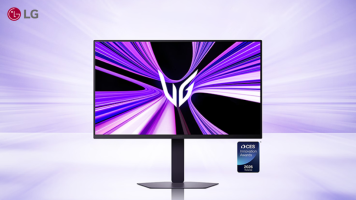
CES 2026 is here and LG is kicking things off with the announcement of a new line of gaming monitors they’re calling the Ultra Gear EVO series. So far, the lineup is composed of three models—the 39GX950B, 27GM950B and 52G930B—all of which offer features like 5K resolution and AI upscaling.
The 39-inch 39GX950B (or GX9) is a 21:9 ultrawide monitor that features a 1500R curve. Per LG, it’s designed to adapt to different gaming genres via a Dual Mode that allows the monitor to switch between running at 165 Hz at the full 5K resolution or at 330

by Zack Young · Posted
Many budding filmmakers have toiled away on the color correction and grading of their first masterpiece, watched it over countless times, hit the export button, pulled it up on a TV, and been shocked. "This looks nothing like I was expecting. The colors! The contrast! The saturation!" Although there's no universal fix for differences in how devices display an image, the most common culprit of these headaches is

by Steven Esposito · Posted
Right now we are in the middle of a huge transitional period in the world of computers. Resting well within the respite of hardware and software refreshes. On one level, Microsoft ended its support for Windows 10, meaning that users may have to either upgrade to Windows 11 or fully replace their aging systems. On another, we have a ton of hardware releasing at the perfect time, which is just before the holiday season really kicks off! If you are looking for an upgrade for any reason, you came to the right place at the right time. Let’s look at

by Steven Esposito · Posted
Finding the perfect workstation that can handle everything you throw at it while also maintaining a balance between power and size is tough. A lot of gaming-focused computers have been used for handling lots of projects, but now things have changed. After getting my hands on HP’s ZBook Ultra G1a laptop, I feel very positive that we will see a massive change from here on out, because HP managed to take the most difficult
by Steven Wong · Posted
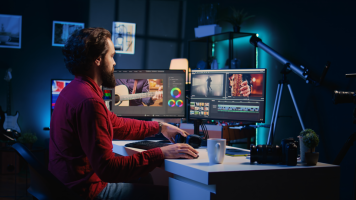
Successfully recording a video podcast episode is just the first step in the process. Now it’s time to edit it down for time, add in B-roll, music, maybe some effects, and make sure the sound levels are good. Although much, if not all, of the work can be done on a laptop, there is much to be said about working from a large screen when editing video. Having a large screen experience can not only optimize your workflow by allowing you to better track your clips, but it can also enhance the recording experience itself. So, if you’re wondering

by Rebecca Melville · Posted
If you have found yourself moving, downsizing, or going away to school, you might be dealt a desk area that is drastically smaller than that to which you are accustomed. If this is you, or will be you sometime soon, a small workspace is no reason to panic. With some intention and a bit of finessing, you can cultivate a sleek and functional small desk setup without compromising on quality. I am going to share some helpful pointers with supplementary products to consider while you transition into a new, smaller workspace.
Lose the Monitor Base

by Steven Esposito · Posted
Expand your screen real estate with the latest ASUS ProArt portable display, giving you high-quality resolution, color accuracy, multiple connectivity options, and more. Now available at B&H, the PA16USV ProArt is a praiseworthy portable peripheral that’s perfect for professional creators on the go.

by Steven Esposito · Posted
I love BenQ monitors. Over the last several years, I have been buying their brand of gaming monitors because they are long lasting, have great build quality, and match the performance and function that I need. But those are gaming monitors—what about displays for designers and professional users? Well, you’ll be glad to know that BenQ continues to uphold their outstanding quality with the PD3226G.
Sleek and Professional

by Steven Esposito · Posted
When it comes to content creation, artistry, and creating digital assets, finding the right desktop can be a bit challenging. Considering how many options and choices are out there, along with what you actually need, it's easy to get steered toward the wrong device. So today, we are taking a look at the most important features you should keep an eye on when considering a new creative desktop or workstation.
Processor
At the core of your system is the processor. It determines how everything else in your system will work. It manages the speed

by Steven Esposito · Posted
At this year’s Consumer Electronics Show (CES), Samsung revealed a wide range of new monitors—everything from gamer-friendly OLEDs with 4K support and extreme refresh rates to AI-powered panels that’ll help you work smarter, not harder. Here are all of the Samsung monitors that really caught our eye.
Smart Monitor M9
Designed for both work and play, the M9 offers robust enhancements designed to go from working on various projects to enjoying your favorite media with the

by Steven Esposito · Posted
Regardless of your passion, profession, or predilection, if it involves a computer, you’re going to need a computer monitor to help you accomplish your goals. One question we’ve been hearing a lot lately is whether the “right” monitor is actually two (i.e., a dual-monitor setup) or if an ultrawide monitor is the way to go. To help you figure out which display setup is best for you and your workflow, we’ve put together this handy guide.
Standard vs.

by Mos Khan · Posted
When it comes to choosing a gaming monitor, there is no one perfect solution. Different gamers have different needs: hardcore pixel addicts won’t settle for anything less than 4K; frame chasers favor high refresh rates above all else. The list goes on.
The good news for gamers is there are great options available, with bigger and better models popping up all the

Posted
A quality computer monitor is essential in any creative’s workstation. Sam shares our gift guide for professional photographers, video editors, and those who need a more budget-friendly monitor option.
0:00 Intro
0:17 Professional-Level Color Accuracy
1:48 Photo & Video Editors
3:50 Budget-Friendly