Podcasting

While many video podcasts might start off only utilizing one camera, adding more typically becomes the first upgrade that creators make as they build out their shows. Having multiple angles to cut between makes the final podcast more engaging to watch and can often produce high-quality close-ups that help viewers really connect with your talent. But with more cameras comes more responsibility, so let’s break down how best to approach a multi-camera video podcast setup.
Cameras and Lenses
While the ideal will always be to have identical camera

0 Views ·Posted
It seems like everyone wants to create a podcast in 2025. But here at B&H, we don't gatekeep. Matt shares how to start a podcast for beginners with this step-by-step guide. Think of this video as your go-to checklist when you're not sure where to begin.
0:00 - In This Video
0:39 - Format & Schedule
2:00 - Naming Your Podcast
2:25 - Recording Your First Episode
2:49 - Beginner Gear
3:48 - How You Should Speak
4:21 - How to Edit for Pacing
5:04 - Batch Recording
5:23 - How and Where to Post
5:59 - Social Media

While it may be easy to prop your phone against a stack of books and hit record, the resulting video podcast might not be quite what you had in mind. So what exactly separates a smartphone camera from a standalone professional camera, and what are the most important factors to weigh if you’re considering an upgrade?
Visual Aesthetics and Control
The most important factor limiting your smartphone camera is its sensor size. The actual sensor chip behind the lens of your phone camera is likely only a fraction of an inch, meaning it can’t capture
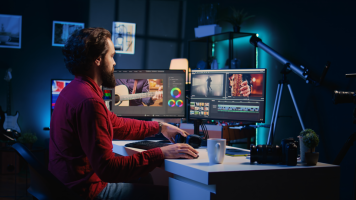
Successfully recording a video podcast episode is just the first step in the process. Now it’s time to edit it down for time, add in B-roll, music, maybe some effects, and make sure the sound levels are good. Although much, if not all, of the work can be done on a laptop, there is much to be said about working from a large screen when editing video. Having a large screen experience can not only optimize your workflow by allowing you to better track your clips, but it can also enhance the recording experience itself. So, if you’re wondering

With so many podcasts competing for attention, sometimes you only have a matter of seconds to rope in a potential viewer and convince them to stick around. Interesting subject matter and compelling hosts can help, but the visual aesthetics of your podcast could be the X factor that leads to success. Thoughtful lighting choices often have an even larger impact than your camera or lens, so let’s dive into four important considerations when plotting out the lighting scheme of your podcast.
Size and Power
The first step is figuring out what kind

Questions about capture cards and whether you need one for your video podcast? You’ve come to the right place. In this guide, we’ll be taking a look at capture cards, what their benefits are, and whether you need one for your production.
A capture card is a unique device that transmits the image from your recording to your PC. Not every capture card is treated equally and there is no one size that fits all scenarios. There are a few

While it may be tempting to prop your phone against a book, shoot one long clip of your podcast, and send that clip straight to the interwebs, that strategy probably won’t rocket you to the top of the charts. By taking a more thoughtful approach to editing and posting your video podcast, you can unlock the full potential of the form and grow a dedicated, engaged audience. Today, we’re going over four of the most important considerations when it comes to editing your video podcast.
Multi-Camera vs. Single Camera
Shooting with one camera (or

So, you have taken the first steps into the wild world of livestreaming. You’ve gathered the necessary tools, found the right computer for the job, and now you are ready to create interesting content. But you might be wondering how to do the livestreaming part. It can feel a bit overbearing and complicated, but it is actually quite easy. Today we are going to go over how to get started with a world-renowned, free-to-download program called Open Broadcaster

Editing an audio podcast doesn’t require much, especially when you are searching for a display. After all, it’s just audio that is being blasted into the eardrums of your listeners. But a video podcast is a whole other

Finding the right computer for editing your podcast can be confusing, especially when you consider how many models and platforms are out there. Luckily for you, today we will go over a list of a few of the best computers for podcast editing.
It is important to note that when it comes to podcast editing, you don’t need a whole lot. Most computers these days tend to handle audio software quite easily. Despite that, there are still a recommended

So you’ve decided to introduce video into your podcast but are overwhelmed by the hundreds of high-quality cameras available to you. Fear not, because even though specific brands and models change each year, there are some time-tested concepts that are worth discussing no matter which flashy features are the talk of the town. Today, we’re diving into four important tips when choosing a video podcast camera.
1. Consider the Space
Are you typically recording inside or outside? In a tiny closet, a massive warehouse, or a studio that’s somewhere

0 Views ·Posted
B&H Bild Expo isn't just a photography conference! Gabe and Andrew explore the show floor to highlight standout innovations in audio gear. Then, they visit the Audio Experience room, featuring a wide range of podcasting and home audio recording equipment.
0:00 - Intro
0:36 - Sennheiser
1:31 - Zoom
4:02 - Roland
5:31 - Shure
6:14 - Lewitt
8:10 - RODE
9:35 - Allen & Heath
9:53 - teenage engineering
11:39 - Audio Experience
12:22 - Final Thoughts

While you might think of podcasting as an audio-based medium, video is what has helped the form reach a much wider audience, especially in the last decade. It’s rare now to see a popular podcast that doesn’t have a video component, whether that be full episodes posted on platforms like YouTube and Vimeo, or shorter clips meant to circulate on Instagram and TikTok. Video not only keeps your viewers more engaged, it also can create a deeper, more connected relationship between you and your fans. When fans can see body language and facial

One of the most essential pieces of equipment for podcast recording is the audio interface. And when it comes to podcast-centric interfaces, there are a lot of options to consider, from the number of mic inputs offered to the kind of functionality that best suits your needs. We’ve put together a list of the top interfaces on the market for both solo and multi-person podcasts and have made sure to include some portable options for those who are taking their show on the road.
For Solo Podcasting
Audio Interfaces
The highly popular brand,

Producing a podcast is not an easy challenge. And for beginner and intermediate podcasters who are tasked with handling post-production, there are always new things to learn and fresh ways to approach the editing and mixing process. So, I sat down with B&H’s own podcast producer of the B&H Photography Podcast, Mike Weinstein, to glean into some of his editing and mixing methods.
So, let’s start from the beginning. What kind